Here's some sample code for setting up yourself a 2D array texture. This is a useful technique for anything that uses a collection of mostly disjoint sprites.
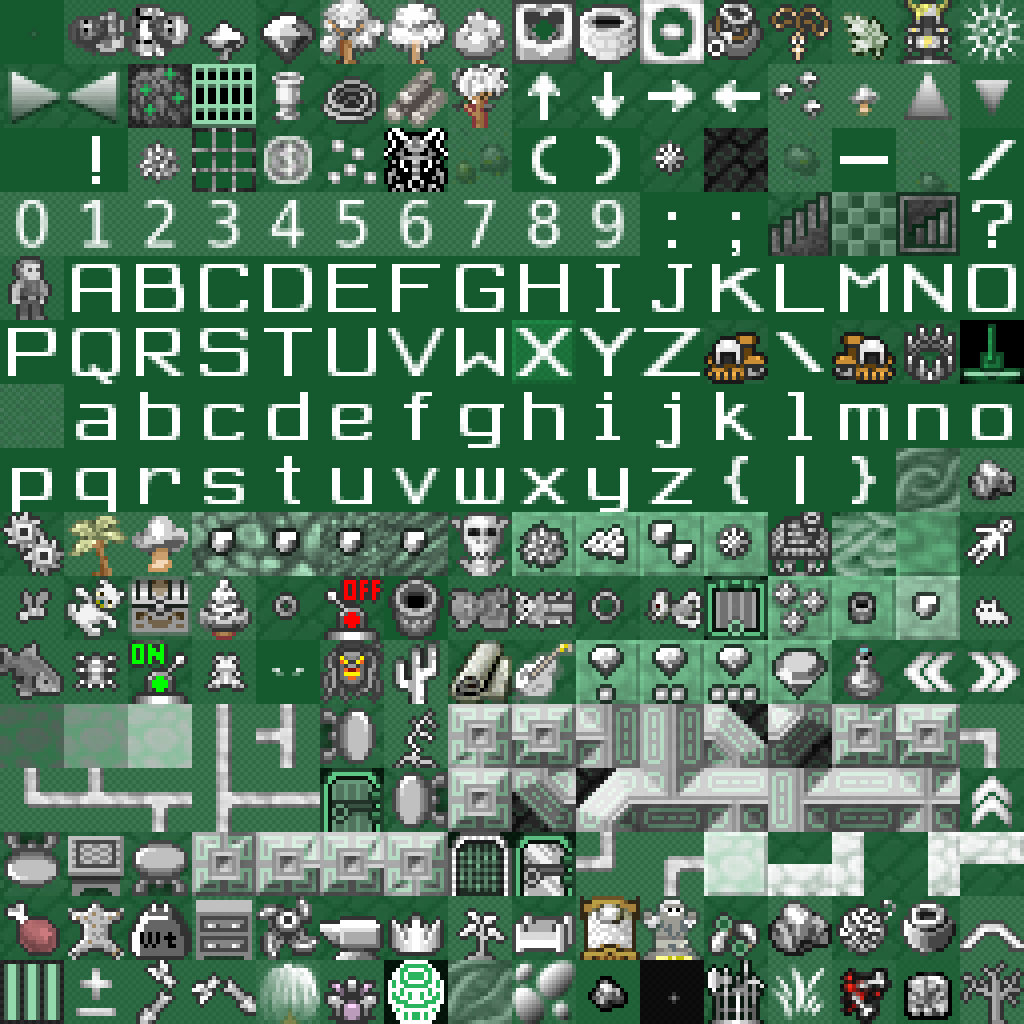
One reason I find this useful is to make the gpu prevent colors from a next-door sprite bleeding over into an adjoining sprite. This can happen if you use a single image to store many sprites in a sprite sheet. Here's an example sheet from a Dwarf Fortress tileset:
You could use a tileset in OpenGL directly as a texture simply by taking the texels from the right place in the texture:
vec4 t_color = texture(sprite_sampler, sprite_sheet_coords);
But this can lead to the color-bleeding problem mentioned above, even if you do the math right. Precision errors happen! Using a 2d array texture, you can fix that by clamping to the edges of the rectangular blocks you want to treat as individual sprites, and you don't have to take up any extra memory. Basically, a 2d array texture just gives you extra control over things like clamping and more convenient lookup coordinates.
Time for the sample code. This first code block is entirely setup. Something like this should be run once at startup; later we'll see the per-frame code.
/////////////////////////////////////////////////////////////////
// 1. Activate the texture unit we'll work with.
/////////////////////////////////////////////////////////////////

int texture_unit = 5;  // For example.
glActiveTexture(GL_TEXTURE0 + texture_unit);


/////////////////////////////////////////////////////////////////
// 2. Load pixel data and hand it over to OpenGL into a 2d array.
/////////////////////////////////////////////////////////////////

void *pixels = get_pixel_data();
GLuint my_texture;
glGenTextures(1, &my_texture);
glBindTexture(GL_TEXTURE_2D_ARRAY, my_texture);
// The `my_gl_format` represents your cpu-side channel layout.
// Both GL_RGBA and GL_BGRA are common. See the "format" section
// of this page: https://www.opengl.org/wiki/GLAPI/glTexImage3D
glTexImage3D(GL_TEXTURE_2D_ARRAY,
             0,                 // mipmap level
             GL_RGBA8,          // gpu texel format
             len_x,             // width
             len_y,             // height
             len_z,             // depth
             0,                 // border
             my_gl_format,      // cpu pixel format
             GL_UNSIGNED_BYTE,  // cpu pixel coord type
             pixels);           // pixel data


/////////////////////////////////////////////////////////////////
// 3. Mipmap and set up parameters for your texture.
/////////////////////////////////////////////////////////////////

glGenerateMipmap(GL_TEXTURE_2D_ARRAY);

// These parameters have been chosen for Apanga, where I want a
// pixelated appearance to the textures as they're magnified.

glTexParameteri(GL_TEXTURE_2D_ARRAY,
                GL_TEXTURE_MIN_FILTER,
                GL_NEAREST_MIPMAP_LINEAR);
glTexParameteri(GL_TEXTURE_2D_ARRAY,
                GL_TEXTURE_MAG_FILTER,
                GL_NEAREST);
glTexParameteri(GL_TEXTURE_2D_ARRAY, GL_TEXTURE_MAX_LEVEL, 4);
glTexParameteri(GL_TEXTURE_2D, GL_TEXTURE_WRAP_S, GL_REPEAT);
glTexParameteri(GL_TEXTURE_2D, GL_TEXTURE_WRAP_T, GL_REPEAT);


/////////////////////////////////////////////////////////////////
// 4. Connect this texture to our shader program.
/////////////////////////////////////////////////////////////////

// This assumes we've already set up the `program` shader.
GLuint sampler_loc = glGetUniformLocation(program, "my_sampler");
glUniform1i(sampler_loc, texture_unit);
Phew! In my opinion, that's a heckuva lotta code for something that's conceptually not that crazy.
Next up is how we actually use the 2d array in the fragment shader. This is not a complete shader, but just the bits relevant to using the 2d array sampler.
The texture lookup uses a vec3 as input. The first two coordinates
are treated as floats; the image is treated as living completely in
the square [0,1] x [0,1]. The third coordinate is expected to be an
integer, and determines which z-slice of the 2d array is used.
#version 330 core

// Other global-level declarations.

// The name of this variable must match the "my_sampler" string
// given to `glGetUniformLocation` in the setup code above.
uniform sampler2DArray my_sampler;

void main() {
  // Determine x, y, z used below.
  vec4 texel = texture(my_sampler, vec3(x, y, z));
  // Use texel and other magicks to compute the fragement color.
}
No problem, goblem.
(A goblem is like a goblin except it eats more and is often a tad on the corpulent side. They are prone to gout and can be easily distracted with puzzles involving ducks.)